

Why Is Mobile App Onboarding Important and How Can You Improve It?
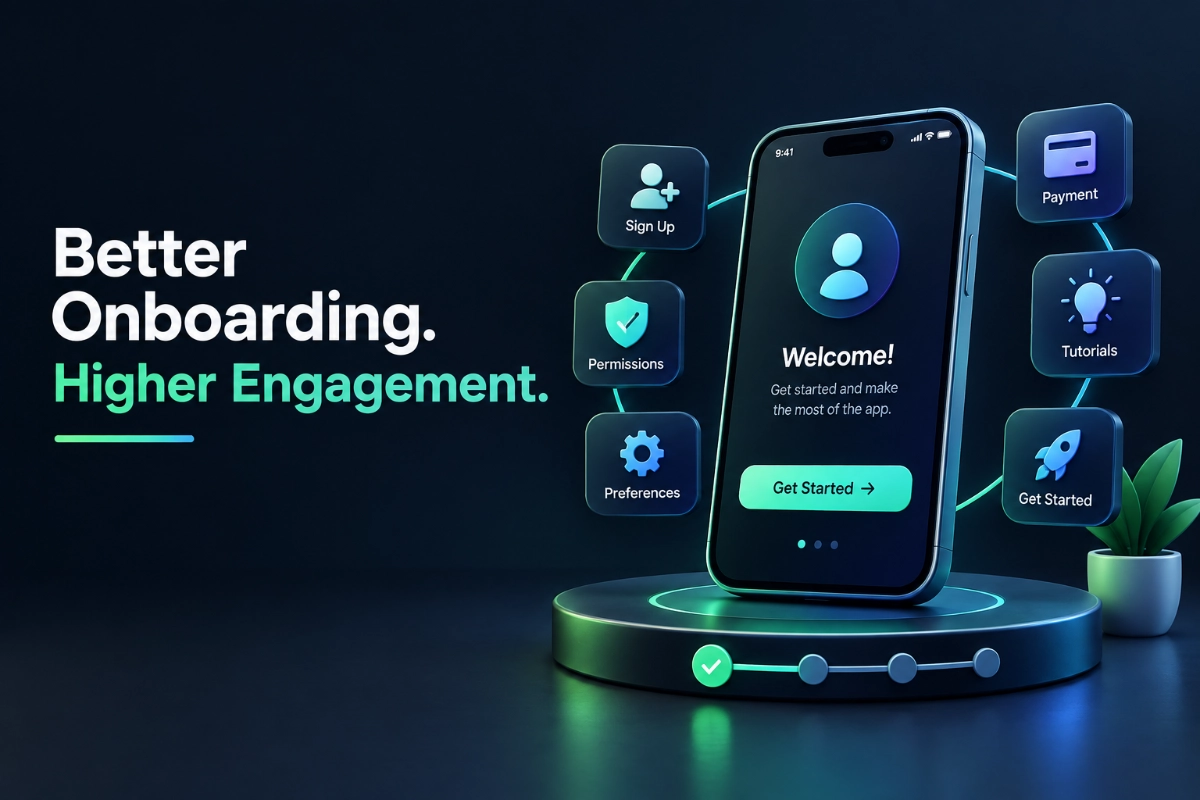
Mobile app onboarding is the first structured experience a user has after downloading an app. It helps users understand what the app does, complete necessary setup, and reach its core value quickly. Effective onboarding reduces confusion, removes unnecessary steps, improves activation, and gives users a reason to continue using the app.
For businesses investing in mobile app development, onboarding should not be treated as a simple introduction screen. It is an important part of the product experience and can directly influence whether a new user becomes an active customer.
What Does Mobile App Onboarding Actually Include?
Mobile app onboarding can include several stages depending on the type of application. A simple app may only need a short introduction and permission request, while a business or ecommerce application may require account creation, profile setup, preferences, payment details, and other configuration.
Common onboarding elements include:
- Welcome or introduction screens
- Account registration and login
- Social login options
- Profile setup
- Permission requests
- Preference selection
- Product or service tutorials
- Personalization
- Payment or subscription setup
- A guided first action
The important point is that onboarding should help users start using the application, rather than forcing them through unnecessary information.
Why Is a Good Onboarding Experience Important?
The first few minutes of app usage are critical because users are still deciding whether the application is useful and easy to use.
If registration takes too long, navigation is confusing, or the app asks for several permissions before providing any value, users may leave before reaching the main functionality.
A well-designed onboarding process can help businesses:
Reduce friction: Users can reach important features with fewer unnecessary steps.
Improve activation: Users are more likely to complete the first meaningful action.
Increase retention: A positive first experience gives users a stronger reason to return.
Improve user understanding: Clear guidance helps users understand how the application solves their problem.
Support personalization: Relevant preferences can be collected without overwhelming the user.
For an ecommerce app, this might mean helping a customer find a product quickly. For a SaaS application, it could mean getting a user to create their first project. The onboarding process should always lead toward the application’s primary value.
How Can You Make Mobile App Onboarding Better?
1. Keep the First Experience Simple
Do not introduce every feature during onboarding. Focus on the few things users need to understand immediately.
If an app has twenty features, showing twenty explanations will create information overload. Introduce the most important functionality first and allow users to discover advanced features naturally.
2. Reduce Unnecessary Registration Steps
Long registration forms create friction.
Only ask for information that is genuinely required at the beginning. Additional profile information can often be collected later when there is a clear reason for the user to provide it.
Where appropriate, options such as Apple, Google, or other supported social login methods can make account creation faster.
3. Explain Permissions Before Requesting Them
Permission requests should make sense to users.
Instead of immediately asking for location, notifications, contacts, camera, or microphone access, explain why the permission is needed and how it benefits the user.
For example, a delivery application can explain that location access is needed to provide accurate delivery tracking.
Users are more likely to understand a permission request when its purpose is clear.
4. Get Users to the Core Feature Quickly
The goal of onboarding should be to move users toward the application’s main value.
A project management app could guide a new user toward creating their first task. An ecommerce app could take the user directly into product discovery. A banking app could help users reach account information or transaction functionality.
The first successful action matters more than showing users a long product tour.
5. Use Progressive Onboarding
Not everything needs to be explained at the beginning.
Progressive onboarding introduces information when it becomes relevant. For example, an app might explain a reporting feature when the user first opens the reporting section rather than explaining it during registration.
This keeps the initial experience clean while still providing guidance.
Should Mobile App Onboarding Be Personalized?
Personalization can make onboarding more relevant, especially for applications serving different types of users.
For example, a business application might ask whether a new user is an owner, manager, employee, or administrator. The application can then prioritize relevant features and workflows.
However, personalization should not become another lengthy questionnaire. Ask only questions that improve the actual user experience.
How Can You Measure Whether Onboarding Is Working?
A well-designed onboarding process should also be measurable.
Businesses can track:
- Registration completion rate
- Onboarding completion rate
- Time to first meaningful action
- Permission acceptance rate
- First-session engagement
- Feature adoption
- Day-one and longer-term retention
- Drop-off at individual onboarding steps
Analytics can show exactly where users stop progressing.
For example, if 90% of users complete account registration but only 45% reach the main feature, the problem may not be registration. The next part of the onboarding journey may be creating unnecessary friction.
This is why onboarding design and mobile app analytics should work together.
Common Mobile App Onboarding Mistakes
Some common problems include:
- Too many introductory screens
- Mandatory registration before users see any value
- Asking for permissions too early
- Long forms
- Explaining features instead of demonstrating value
- Poor navigation
- No clear next action
- Making the skip option difficult to find
- Not testing onboarding with real users
- Failing to monitor where users drop off
These problems can make a technically strong application feel difficult to use.
Key Takeaways
- Mobile app onboarding is the user’s first major interaction with the product.
- Good onboarding removes friction and gets users to value quickly.
- Registration and permission requests should be kept relevant and simple.
- Progressive onboarding can prevent information overload.
- Analytics should be used to identify onboarding drop-off points.
- The best onboarding experience depends on the app’s users, goals, and core functionality.
Final Thoughts
Mobile app onboarding should be designed as part of the overall product experience, not added as an afterthought. A successful process helps users understand the app, complete important actions, and experience its value without unnecessary friction.
At organix-IT, our mobile application development approach considers onboarding, UX, backend integration, analytics, security, and scalability together. If you are planning a new mobile application or improving an existing one, the onboarding experience should be part of that strategy from the beginning.

Hire Developer