Customers will download the App and order their meal
About Depot Cloud WMS System
Create and Manage your warehouse storage remotely
● Add a new warehouse to the system and get an overview of all of your warehouses across the world.
● A brief summary of your products in the warehouses can be accessed and easily gone through to check their quantity, availability in any specific area or country, and how many of them are either delivered or dispatched from the warehouse.
● Now it becomes easier and time-saving to keep an on your stocks and take actions much precisely ahead of them to be taken.
● Add new vendors into the system anytime you want and purchase products either a single one or in bulk and manage them accordingly.
● Interaction with product inventory has also been made much more convenient. Admin can view their whole stock enlisted and apply any filters if they are looking for any specific product(s).
Create and manage tickets to get your products delivered or received.
● Enhance the demand and supply chain of your products.
● Create tickets if the warehouses ran low on products and get them well-stocked.
● Tickets are also created when needed to dispatch the products from the warehouses.
● It will be very handy to track the progress of the currently ongoing event through the tickets. either the products are being delivered or picked up.
How DEPOT CLOUD Works
manage warehouse storage from the admin panel
● Login to your account.
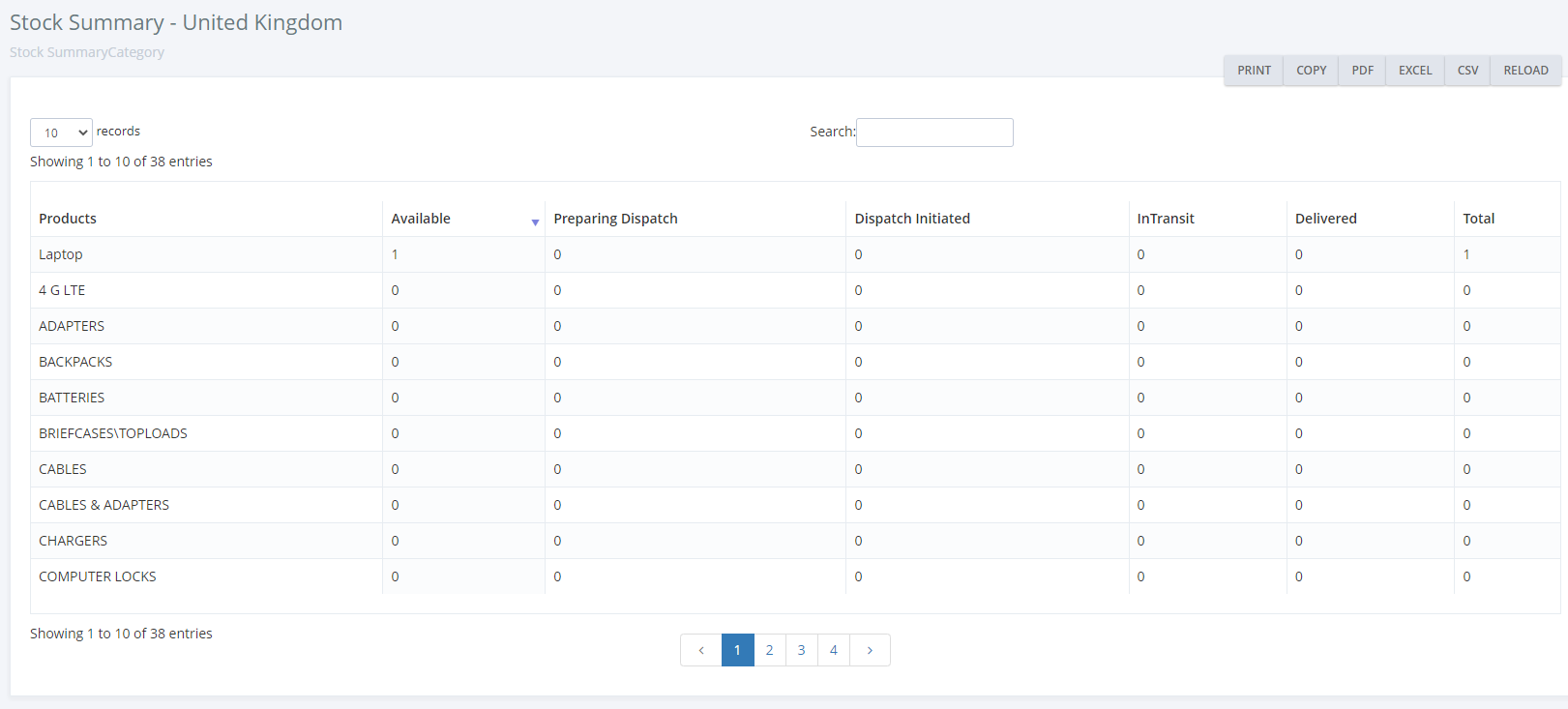
● Go through the detailed stock summary of your warehouses in every country.
● Can also look through the products enlisted as a whole, regardless of the warehouses. But, the products can be filtered out by different factors such as categories, warehouse, product status, and much more
● Create and manage multiple tickets to track the progress of the product to be delivered or despatched from the warehouse.
Manage Products, their vendors and view reports
● Products can be added to the warehouse storage via different means, which include adding a single product, adding products in bulk, and importing the products.
● Added products can further be categorized by their type.
● System allows users to add vendors and keep their records saved.
● All of the operations performed and all the transaction that has been made through this system are tracked and a brief billing report is made which can be accessed at any time, either all reports or categorized reports, its the user’s choice.
Manage warehouse events from the mobile application
● Login to your account.
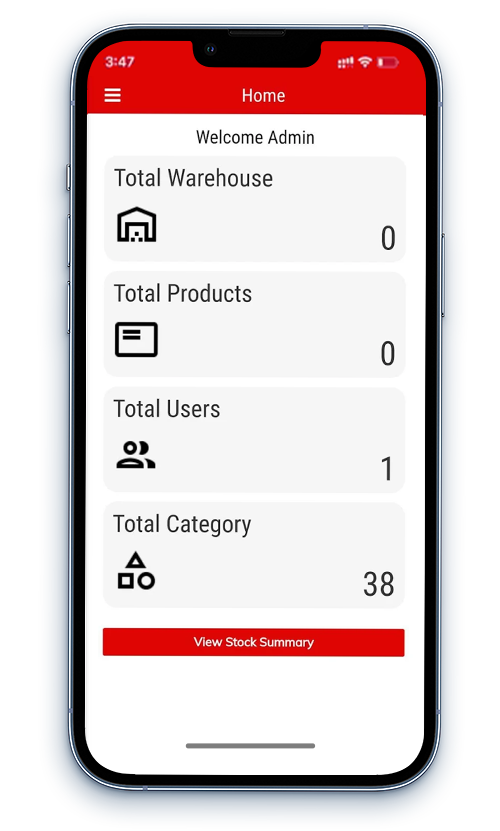
● Look through the stats related to the warehouses with the help of counters such as warehouses, products, users, etc.
● Users can also view the short summary of the stock from the provided screens within the App.
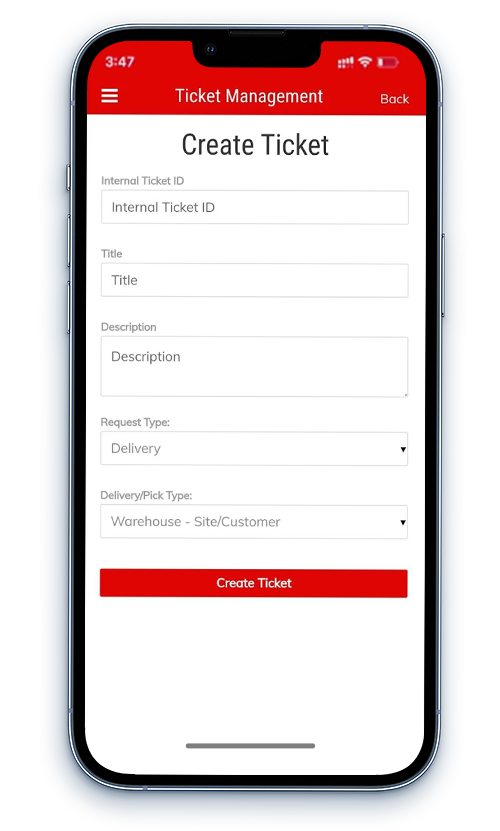
● Tickets can also be created and managed from the app for the products to be delivered or dispatched.
We offer a complete solution for the management of your warehouses around the globe
Are you worried about your business products and have to keep track record of your warehouse storage? Depot Cloud powered by organix-IT got you covered. We offer a reliable platform to manage your warehouses by saving you time and excess resources.
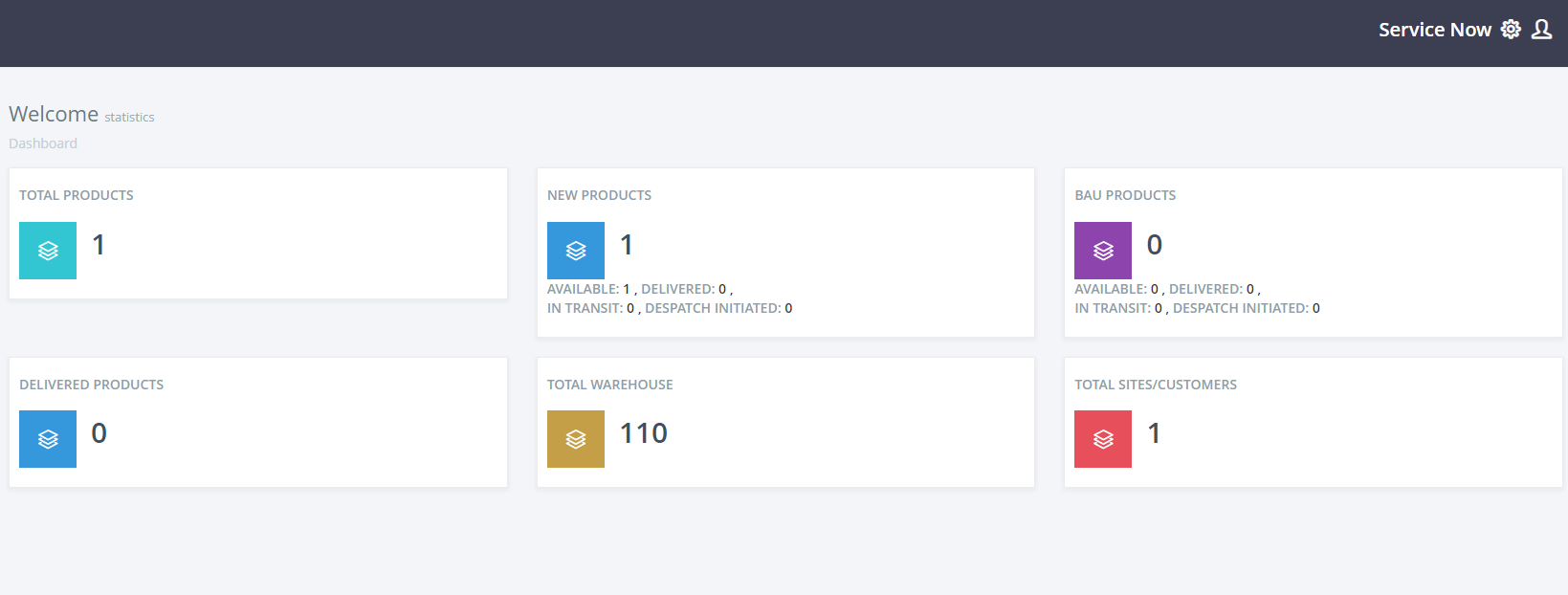
Dashboard: counters showing stats of different sections of depot cloud
Depot Cloud Admin Panel offers its user a brief overview and stats of multiple items they are gonna look through the system on one page. the counters display the count of total products and new products which further includes sub-counters to show how many of them are available and delivered. counters also show the total number of Warehouses and total customers
stock summary & products: Manage products and view stock summary
The next step involves the stock summary which can be viewed from the left side menu. the summary includes various stats of all the warehouses enlisted by the country name and can be clicked on to view more product details including available quantity, products dispatch, and much more.
another feature includes product management which provides a convenient way to go through the list of all the products. the list can also be filtered depending on the requirements
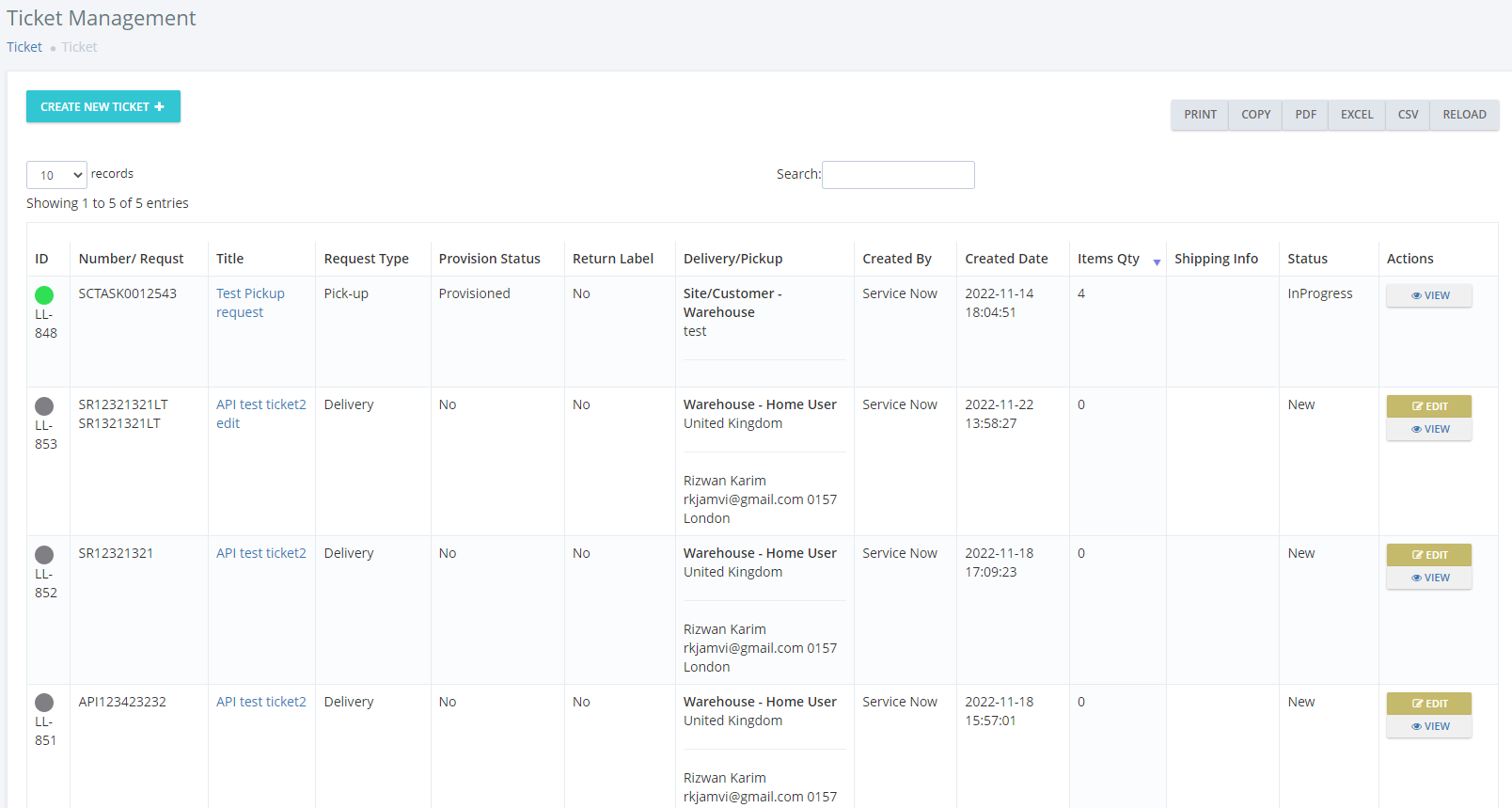
Ticketing system: Create and manage tickets to track various events for products
Depot Cloud offers a reliable way to manage various tasks in the warehouse. tickets can be created when a product is dispatched from the warehouse for delivery to track its status providing many other utilities.
Warehouse overview from the admin app
We offer a Mobile Application to support all the activities of Admin which includes the following.
● Count of Total Warehouses
● Count of Total Products in the Warehouses
● Total Users count
● Count of total categories.
● Stock Summary can also be accessed.
Ticket Management for products
This app offers another very convenient way to track several operations with the products. The tickets will be created every time whenever the product is received at the warehouse or if it is dispatched from the warehouse. The system helps the warehouse owners/staff to track the product by labeling it which involves multiple options to be chosen including the request type, provision status, quantity of a product, and much more
FAQ
Frequently Ask Questions
Let’s connect
Get A Free Quote
Send us requirements for your website or mobile apps and we will provide you high quality solutions in affordable price.